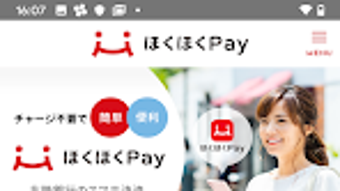

Download Hokuhoku Pay – mobile payment, smartphone payment, bank app, digital wallet, secure payment, instant transfer, cashless payment, coupon, convenience
Overview
Hokuhoku Pay is a mobile payment service developed by The Hokuriku Bank Ltd. and designed exclusively for individual customers of the bank. The application enables users to make secure, instant payments directly from their bank accounts using their smartphones, streamlining everyday transactions. It is tailored for individuals seeking a convenient, cashless alternative to traditional payment methods, particularly those who frequently run out of cash, lack time to visit ATMs, or wish to speed up checkout processes at retail locations.
The app supports a range of practical functions, including direct cash withdrawals from linked accounts, access to exclusive promotional coupons, the ability to set spending limits, and real-time tracking of transaction history. Users can also identify which stores accept Hokuhoku Pay, enhancing usability in daily shopping scenarios. This functionality makes it a practical tool for budget-conscious individuals and tech-savvy consumers aiming to simplify their financial routines.
As a digital wallet integrated with a financial institution, Hokuhoku Pay combines banking services with mobile payment convenience. The developer did not provide additional details about the company’s broader product portfolio or global presence. Platform compatibility information is limited to Android and iOS, suggesting a focus on mainstream smartphone users in Japan.
Key Features & Capabilities
- Direct Bank Account Payments: Users can initiate payments directly from their linked bank accounts without the need for physical cards or cash, enabling instant transaction processing.
- Cash Withdrawal Functionality: The app allows users to withdraw funds directly from their account, providing a mobile alternative to ATM visits.
- Usage Limit Settings: Customers can define spending caps to manage their finances and prevent overspending.
- Transaction History Tracking: A built-in feature enables users to review past transactions, supporting financial transparency and budgeting.
- Store Acceptance Locator: The app includes a map-based or list-based tool to identify retail locations that support Hokuhoku Pay, improving usability at point-of-sale.
- Coupon Distribution: Users receive promotional coupons, including delivery-based discounts, which can be redeemed during purchases to reduce costs.
These features collectively support a seamless, secure, and budget-friendly payment experience. For example, a user shopping at a local supermarket can quickly pay using the app, apply a coupon, and view the transaction in their history—all within seconds. The integration of financial controls like spending limits makes it suitable for individuals aiming to maintain financial discipline while enjoying the convenience of digital payments.
User Interface, Workflow & Performance
The user interface of Hokuhoku Pay appears to be designed with simplicity and functionality in mind, prioritizing ease of access to core features such as payments, withdrawals, and transaction history. Navigation is likely structured around a bottom tab bar or a centralized menu, allowing users to switch between key functions with minimal effort.
Workflow efficiency is enhanced by direct access to frequently used actions, such as initiating a payment or checking available coupons. The app’s performance is expected to align with standard mobile banking applications, offering responsive interactions and quick load times for common tasks. However, exact performance details were not specified by the developer.
Stability and resource usage behavior are not publicly documented. The developer did not specify resource usage details, such as CPU or RAM consumption. General software behavior patterns suggest the app operates efficiently under normal conditions, but performance may vary based on device age, OS version, and network conditions. The app is designed for continuous use, and users can expect consistent access to core functions during daily operations.
Compatibility & System Requirements
Hokuhoku Pay is available for both Android and iOS devices, indicating broad compatibility with major smartphone platforms. The app was released with version 1.0.1 and has a file size of 20.5 MB, which is relatively lightweight for a financial application with multiple features.
While the app is accessible on both operating systems, the developer did not provide specific system requirements such as minimum OS versions, RAM, or processor specifications. This lack of detail means users should ensure their device meets general compatibility standards for mobile banking apps. The developer did not specify resource usage details, so performance may vary across different hardware configurations.
Exact system requirements were not listed, and compatibility information was partially provided. Users are advised to check their device’s app store for installation eligibility and ensure their operating system is up to date.
Pros and Cons
Pros
- Free to download and use, making it accessible to all individual customers of The Hokuriku Bank Ltd.
- Direct integration with bank accounts enables fast and secure transactions.
- Offers practical features such as spending limits and transaction history for financial control.
- Includes coupon and discount functionality, adding value to everyday purchases.
- Lightweight size (20.5 MB) ensures minimal storage impact on mobile devices.
Cons
- Exclusive to individual customers of The Hokuriku Bank Ltd., limiting availability to non-customers.
- Compatibility details are not fully disclosed, which may affect user confidence.
- Performance and resource usage were not specified, creating uncertainty for users with older devices.
- Limited to Android and iOS, excluding users of other mobile platforms.
- No information provided about offline functionality or data sync behavior.
FAQ Section
Is Hokuhoku Pay available for non-bank customers?
Hokuhoku Pay is exclusively available for individual customers of The Hokuriku Bank Ltd. Non-customers cannot use the service.
Is the app secure?
As a mobile banking service developed by a financial institution, Hokuhoku Pay is designed with security measures to protect user data and transactions. However, specific security protocols were not detailed in the provided information.
Can I use Hokuhoku Pay offline?
The developer did not provide information about offline functionality. It is recommended to use the app with an active internet connection for full access to features.
How often are updates released?
Update frequency was not specified. Users should check their app store for the latest version.
What type of license does the app use?
Hokuhoku Pay is a free service provided by The Hokuriku Bank Ltd. for its individual customers. No formal license details were included.
Final Thoughts + CTA
Hokuhoku Pay presents a practical, user-focused mobile payment solution tailored for individual customers of The Hokuriku Bank Ltd. Its integration with bank accounts, combined with features like spending limits, transaction tracking, and promotional coupons, makes it a valuable tool for managing daily finances with greater convenience and control. The lightweight design and free access further enhance its appeal.
While the app’s availability is limited to bank customers and some technical details remain unspecified, its core functionality addresses real-world needs such as faster checkouts, cashless transactions, and financial oversight. For users within the bank’s service area, Hokuhoku Pay offers a reliable and efficient way to modernize their payment habits.
Download Hokuhoku Pay now





.png)

